

| # Simple demo website for Presidio | |
| Here's a simple app, written in pure Python, to create a demo website for Presidio. | |
| The app is based on the [streamlit](https://streamlit.io/) package. | |
| A live version can be found here: https://huggingface.co/spaces/presidio/presidio_demo | |
| ## Requirements | |
| 1. Clone the repo and move to the `docs/samples/python/streamlit ` folder | |
| 1. Install dependencies (preferably in a virtual environment) | |
| ```sh | |
| pip install -r requirements | |
| ``` | |
| > Note: This would install additional packages such as `transformers` and `flair` which are not mandatory for using Presidio. | |
| 2. | |
| 3. *Optional*: Update the `analyzer_engine` and `anonymizer_engine` functions for your specific implementation (in `presidio_helpers.py`). | |
| 3. Start the app: | |
| ```sh | |
| streamlit run presidio_streamlit.py | |
| ``` | |
| ## Output | |
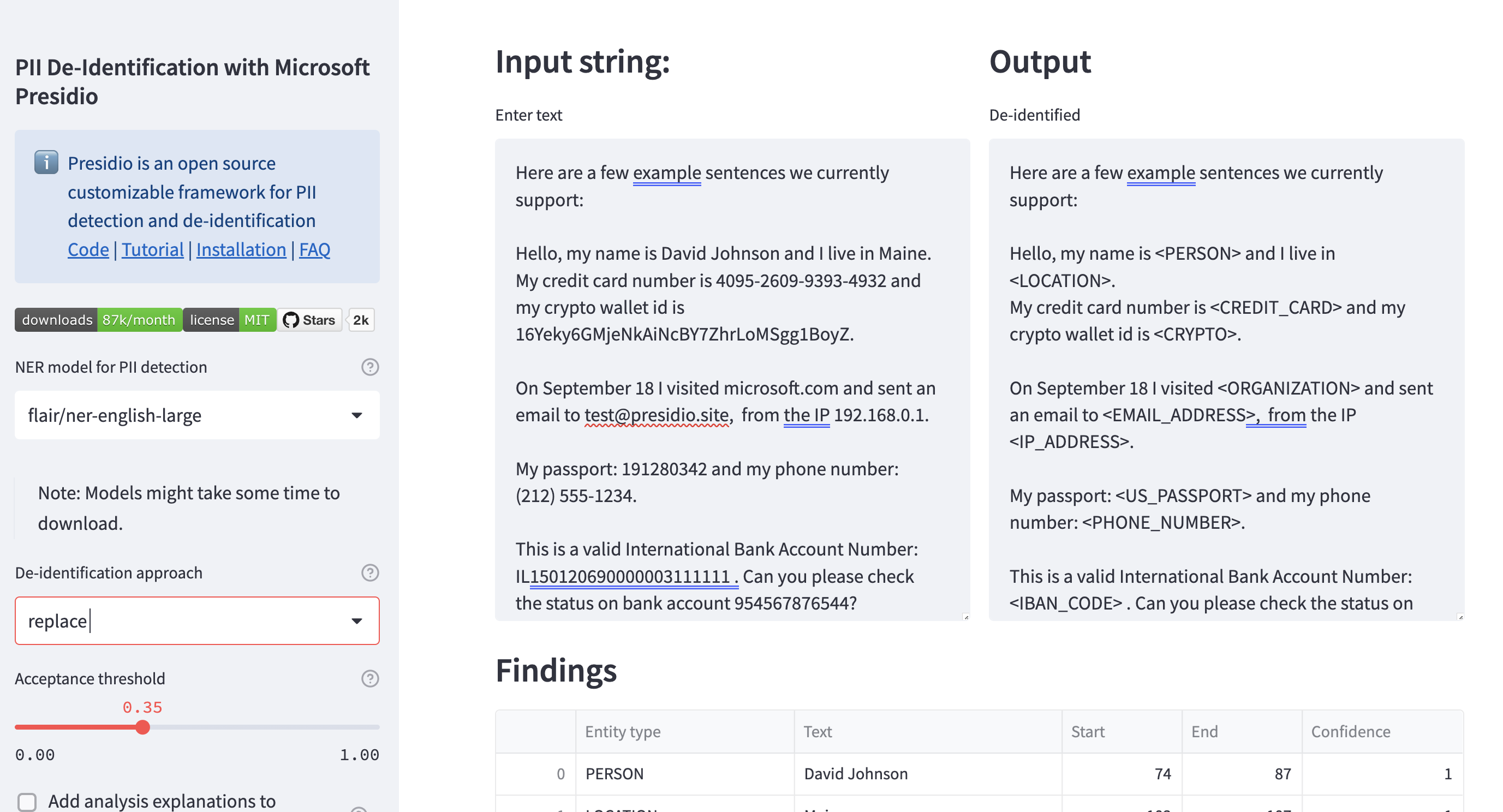
| Output should be similar to this screenshot: | |
|  | |